
Phone system and shared inbox in your browser.
Pick what you need. Use calls, email, chat and SMS on their own or together in one place. Omnicus is made for GP practices, contact centres, businesses and municipalities. We set it up the way you work.
How are we different? You get help from people who know your setup. We develop Omnicus together with the people who use it every day.
Most of our customers found us because someone recommended us.
Some of our customers.


Find your industry

GP practices and clinics
Change opening hours and recorded messages yourself, without waiting for help. GPs can call patients from their mobile with the practice's number.
Read about GP practices
Contact centres
Everything the customer has written and said, in one place. Follow today's numbers, and see how they change over time.
Read about contact centres
Business
Omnicus is your company's phone system. Answer in the browser or on your mobile. You decide what happens when someone calls.
Read about business
Municipalities
One switchboard for the whole municipality, with separate opening hours for each department. When it is busy, colleagues from other departments can log in and help.
Read about municipalitiesDo you only need to send SMS? Read about SMS
What it looks like in use
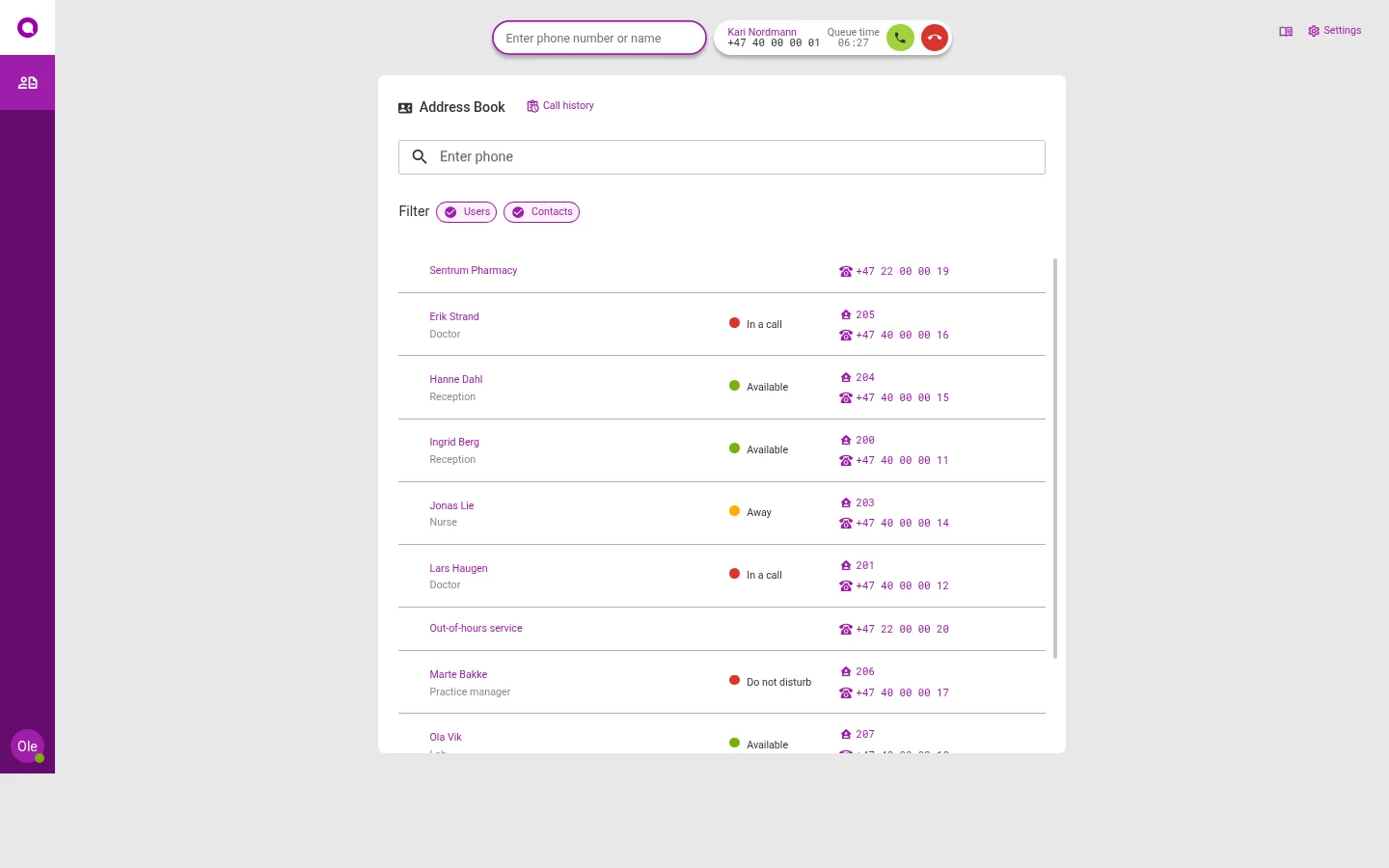
My page
This is where you make calls and take calls meant for you. You can see which colleagues are free.
- Answer in the browser or on your desk phone
- See if a colleague is on a call before you transfer
- Find colleagues and contacts in the address book
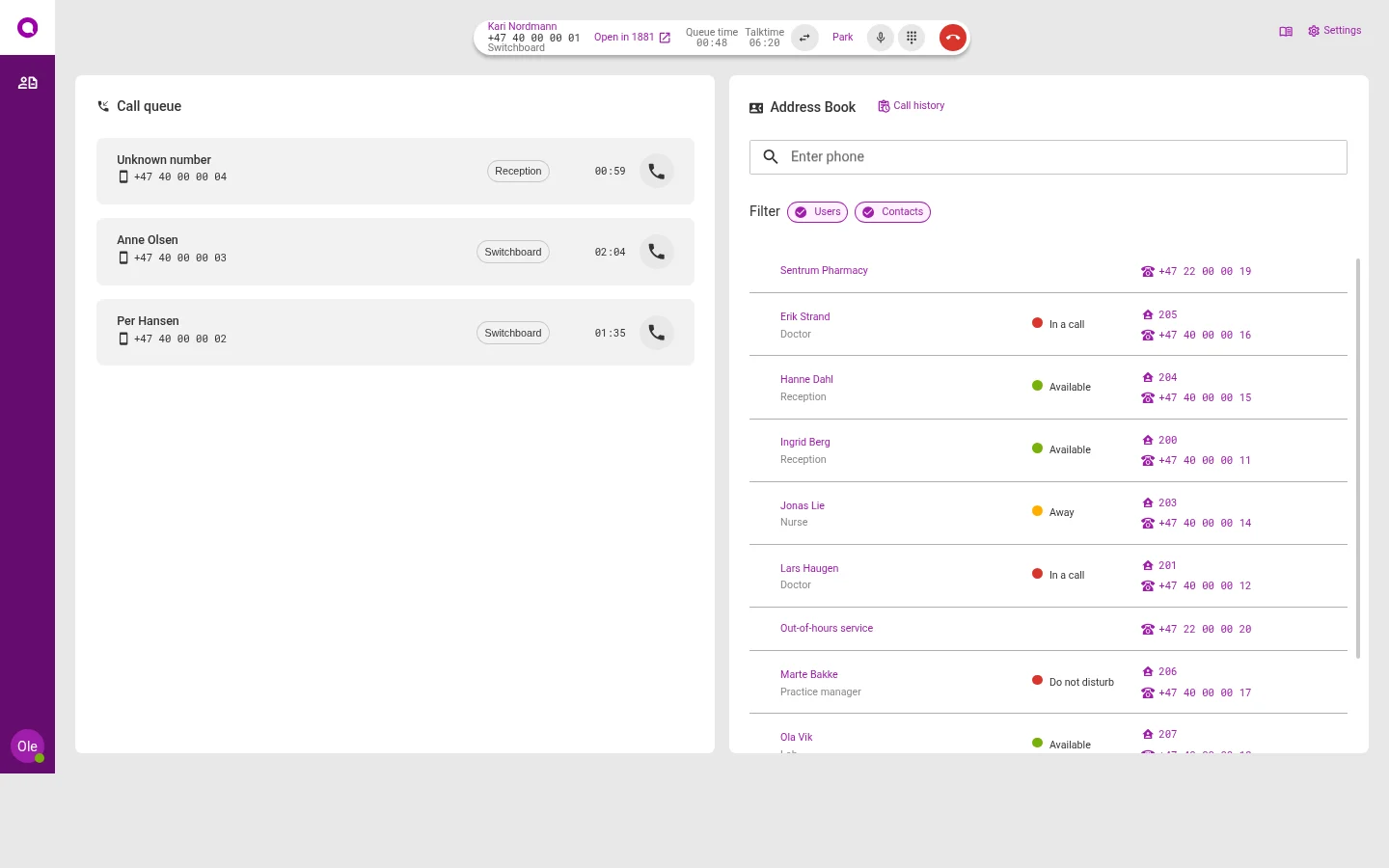
Switchboard
Everyone who answers the switchboard sees the same queue. Take the next call, and transfer it to the right person.
- See how long each caller has waited
- Park a call while you check something
- Change opening hours and recorded messages yourself
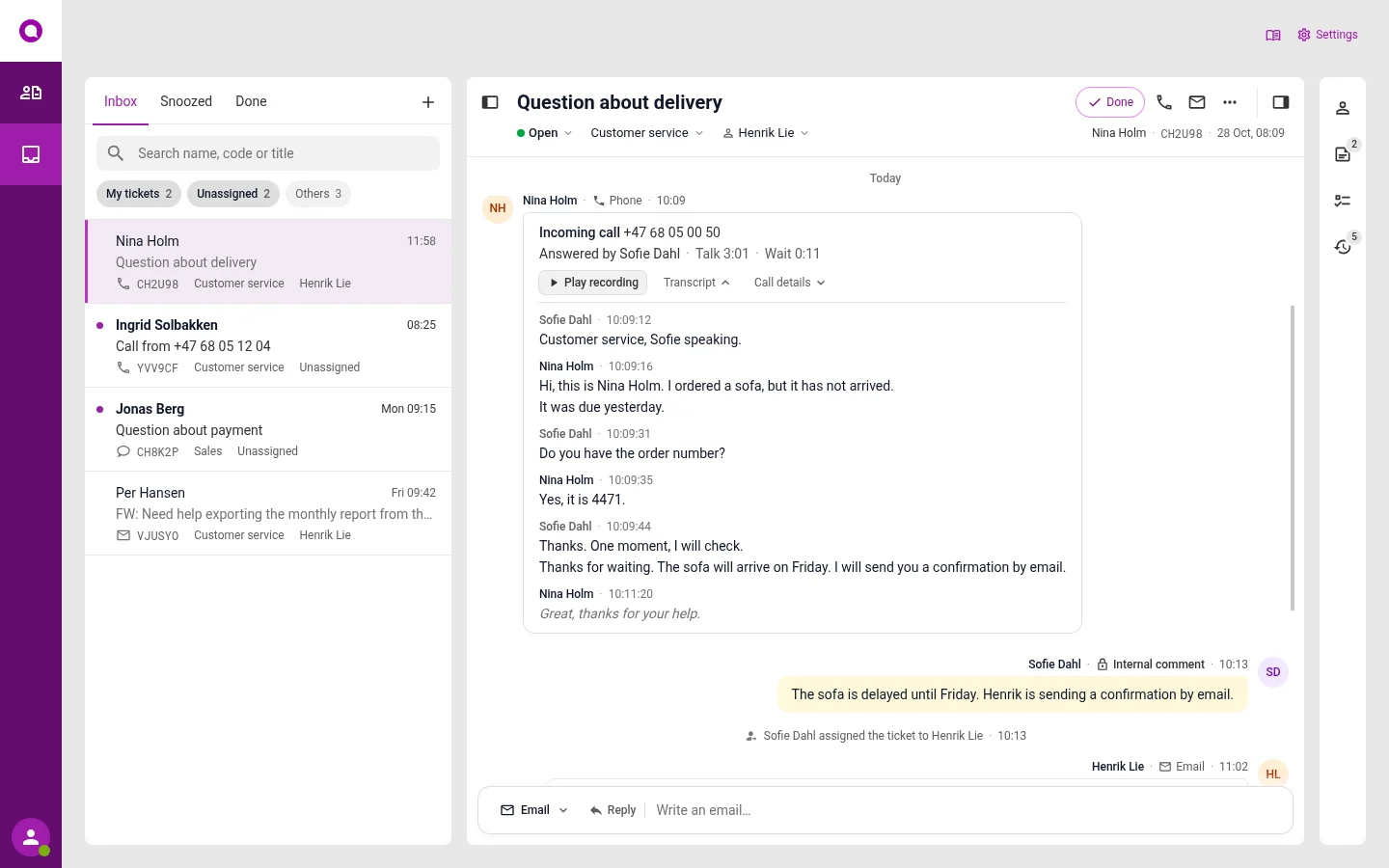
Inbox
Phone, email, chat and SMS end up in the same list. You see everything the customer has written and said before.
- AI sorts and answers by the rules you set
- Calls can be recorded and turned into text
- Listen to calls again, and see what you can do better
- The case goes to the person who can answer
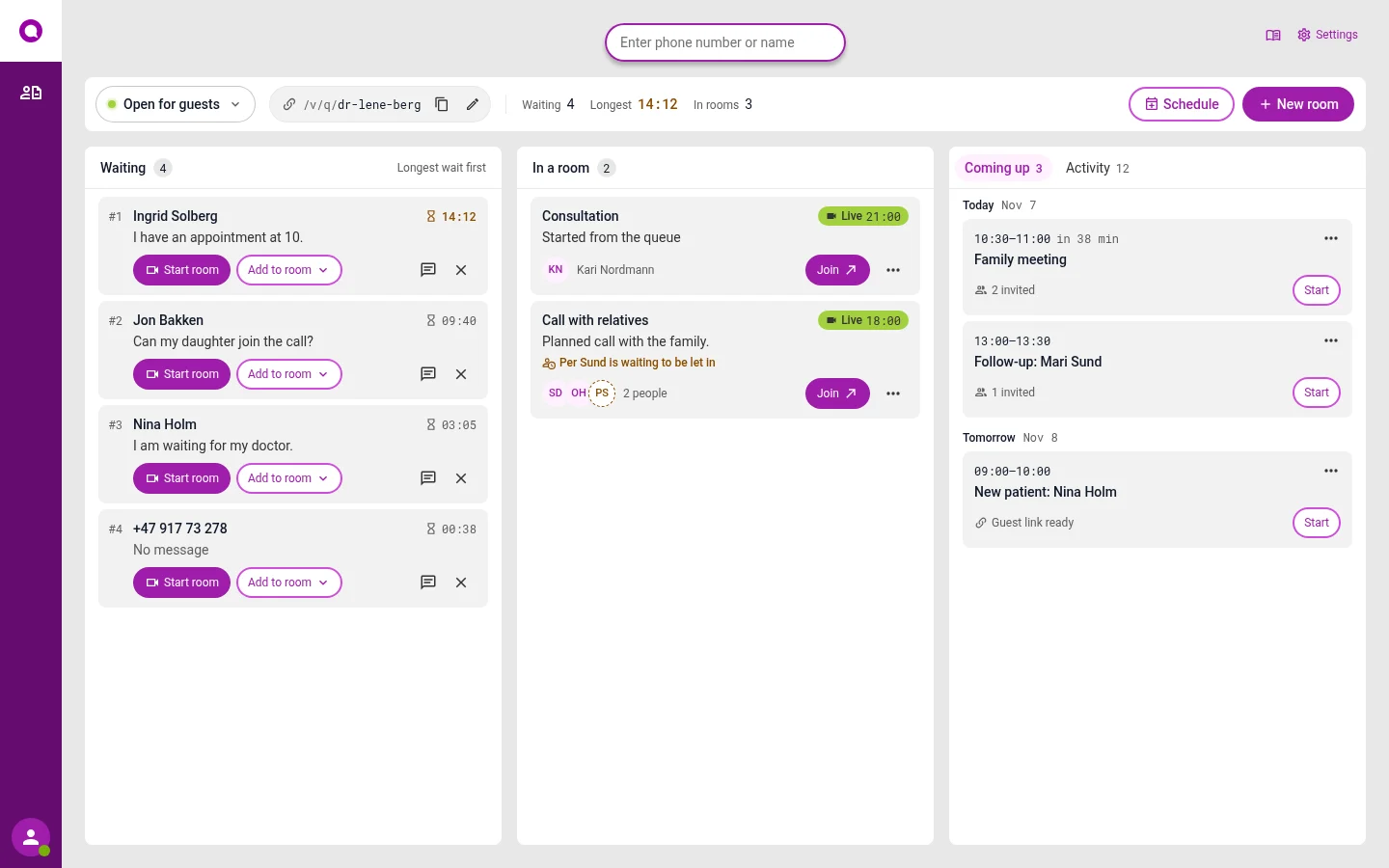
Video
Send the guest a link. The guest waits until you let them in, and does not need an app.
- Each employee has their own fixed link
- Booked meetings and instant meetings
- Name and number are deleted after the meeting
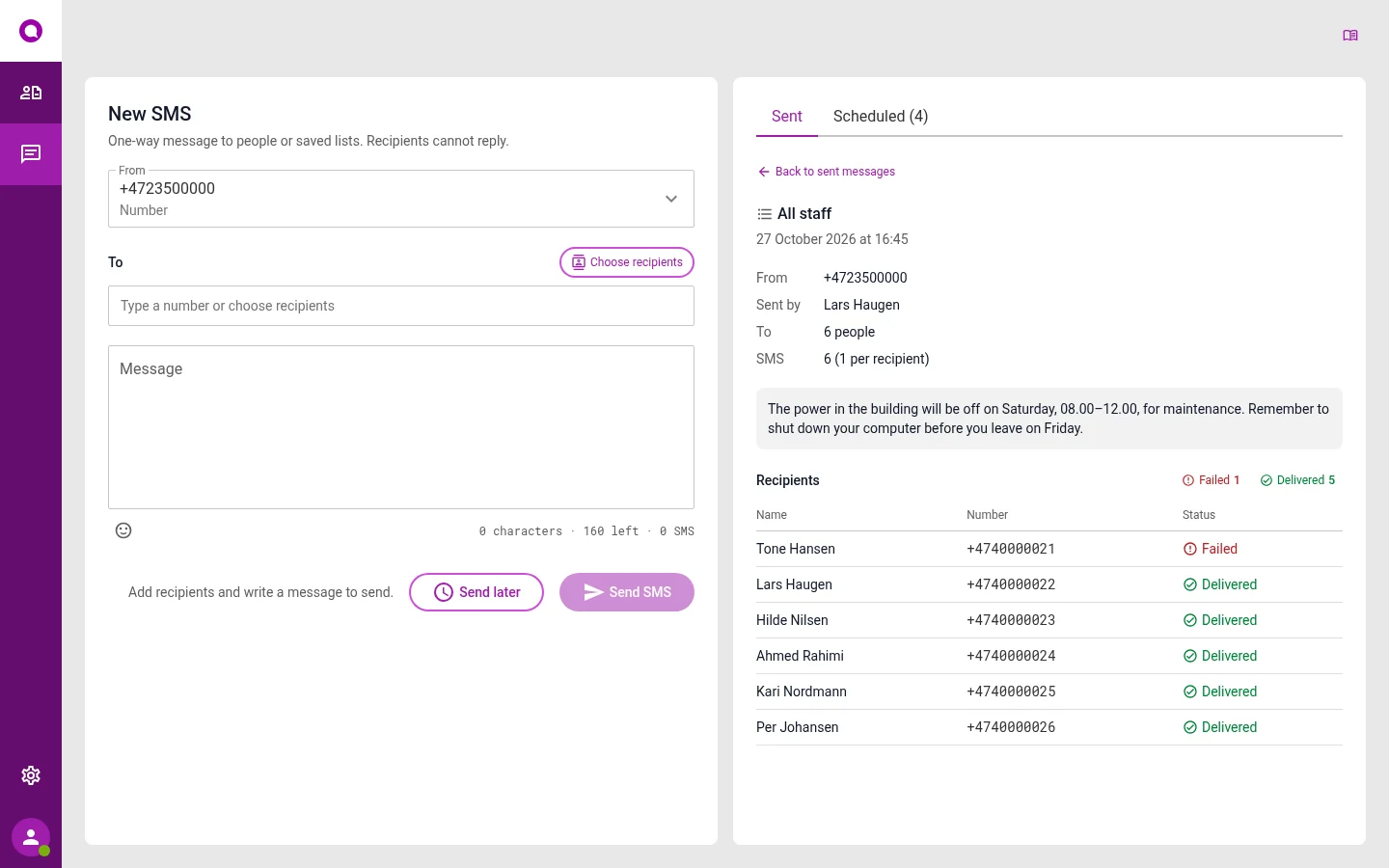
SMS
Send to one person, a department, a list or everyone at once. You see who has received the message.
- Send now, later or every week
- See if the message arrived
- The message comes from your name
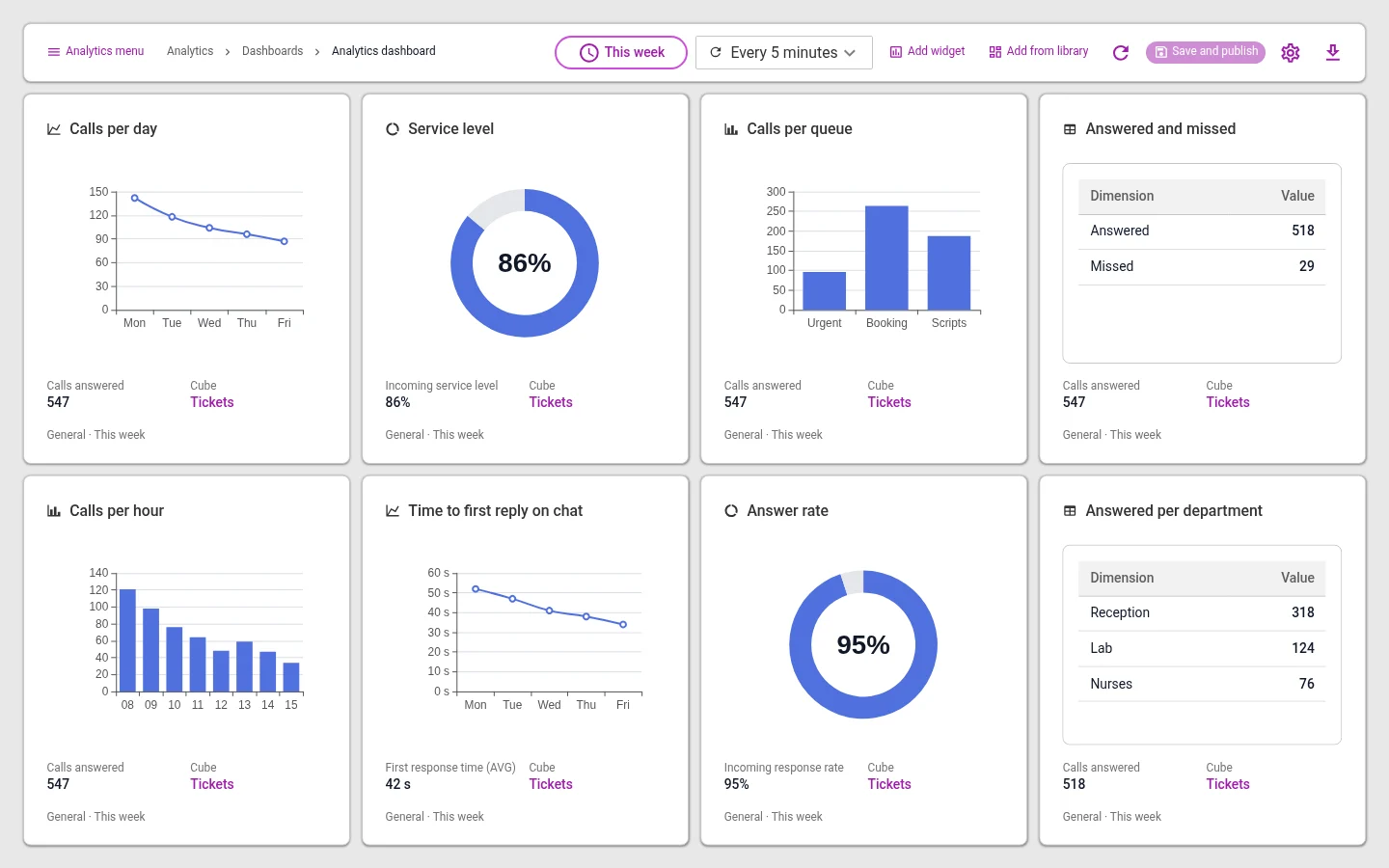
Reports
See numbers for calls and cases. You choose what you want to follow.
- How many get in touch, and when
- How many get an answer
- Choose which charts you want to see
What happens when someone gets in touch
The customer gets in touch
Calls, sends an email or SMS, writes in the chat or on Messenger.
Omnicus receives it
Checks the opening hours and follows the rules you have set. Callers can get a phone menu.
The queue shares it out
To the person who is free and can answer. Important cases come first.
You answer
From the switchboard, the inbox or video.
You see the numbers
How many got in touch, how long they waited, and how many were answered in time.
Want to see the whole route for one case?Follow a case through the inbox
Connects to what you already use
Users and access
- MicrosoftStaff are added automatically
- One loginLog in with your work account
Calendar
- Microsoft 365See a colleague's calendar
- Google Calendar
Channels
- Chat on your websiteAdded to your website
- Facebook Messenger
Patient records and mobile
- WebMedOpen the patient's record when they call
- Mobile phonesKeep the plans you have
Your own systems
- Can connect to systems you have yourself
- Google Sheets
Desk phones
- Cisco, Snom, Gigaset
- Polycom, Mitel
Headsets
- Jabra, EPOS, Yealink
Apps
- Omnicus GoiOS and Android
- Omnicus ConnectWindows and Mac
"In our day-to-day work, where we deliver online reception services to our customers, Omnicus and their contact centre solution is one of our most important tools."
 Carine TobiassenPraksisliv
"We find Omnicus a versatile, good, solid and stable solution for our use, in dialogue with both internal departments and our end customers."
 Roy AasheimLøvenskiold
"Omnicus has a fantastic system to offer. Both in contact centre solutions and statistics."
 Heidi BirkelandLimbra
Quotes translated from Norwegian.
Read the customer storiesQuestions we often get
Where is the data stored?
With Google Cloud in the EU, in Belgium. You choose how long recordings are kept, from 1 to 365 days. Video is deleted after one day.
Do we need new equipment?
No. Use the browser and an ordinary USB headset. Desk phones from Cisco, Snom, Gigaset, Polycom and Mitel can be set up automatically.
Can we start with just phone?
Yes. Inbox, chat, Messenger, video and SMS can be turned on later, with the same users and queues.
Can we get our users from Microsoft?
Yes. Staff are added from Microsoft automatically, as often as you like.
What does it cost?
The price depends on the number of users and the channels you choose. You get a quote after the demo.
See it set up the way you work
In the demo we show the channels you need, with the queues and opening hours you have today. We also answer questions about price and getting started.